
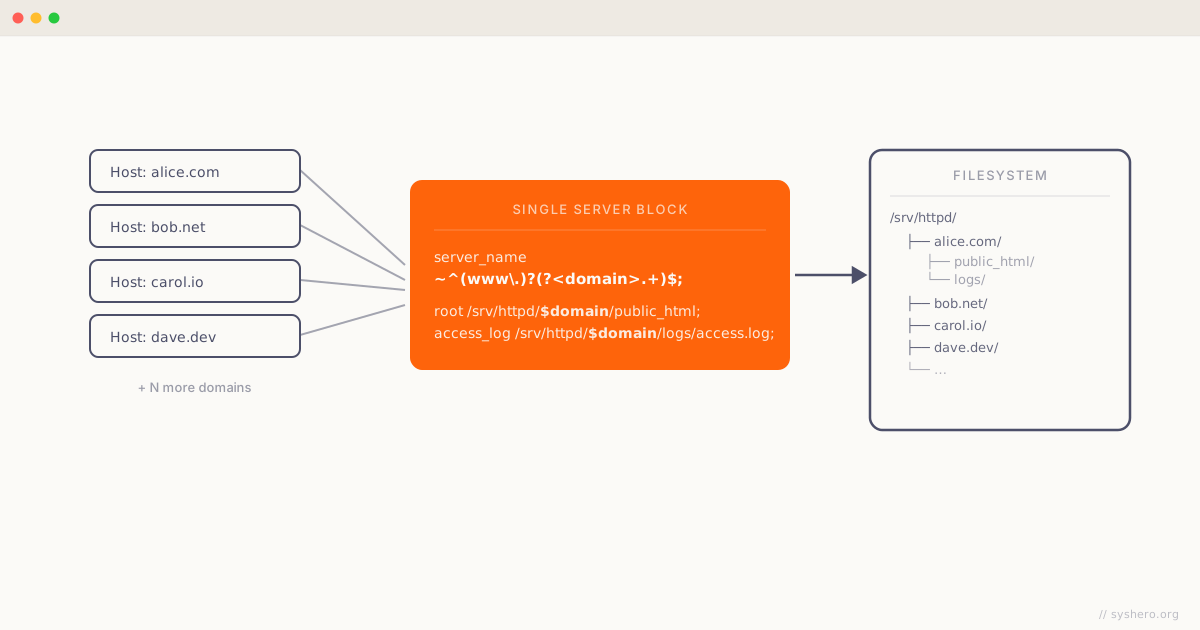
I’ve stumbled some times on ways of doing dynamic vhosts in nginx in a way similar to what apache does using mod_vhost_alias but not in a way that completely satisfies my needs. So I’ve built the following configuration:
server {
  listen 80 default;

  server_name   ~^(www\.)?(?<domain>.+)$;

  root       /srv/httpd/$domain/public_html/;
  access_log /srv/httpd/$domain/logs/access.log;

  location / {
    index index.html index.htm index.php;
  }

  location ~ [^/]\.php(/|$) {
    fastcgi_split_path_info ^(.+?\.php)(/.*)$;
    fastcgi_param SCRIPT_FILENAME $document_root$fastcgi_script_name;
    fastcgi_pass 127.0.0.1:9000;
    fastcgi_index index.php;
    include fastcgi_params;
  }
}
As you will notice, it’s possible to use regular expressions in nginx server_name.
With this configuration, the domain example.com root directory will be /srv/httpd/example.com/public_html/ and access_log will use the file /srv/httpd/example.com/logs/access.log.
Hosting a new domain will be simple as creating some directories and copying the site files.
So basically the directory structure is the following:
/srv/httpd/<domain name>/public_html
/srv/httpd/<domain name>/logs
One thing to notice is that error_log can’t be configured the same way as access_log.
Don’t forget to change the directory permissions according to your server.
This configuration supports PHP running as FastCGI listening on 127.0.0.1:9000.
You can use the same variables to have for example custom error documents and everything else that you need.
Again guys: if you know any company needing a Senior DevOps, willing to sponsor my relocation, drop me a message!
Thanks!