
Hi everyone, sorry for not posting any content here for such a long time.
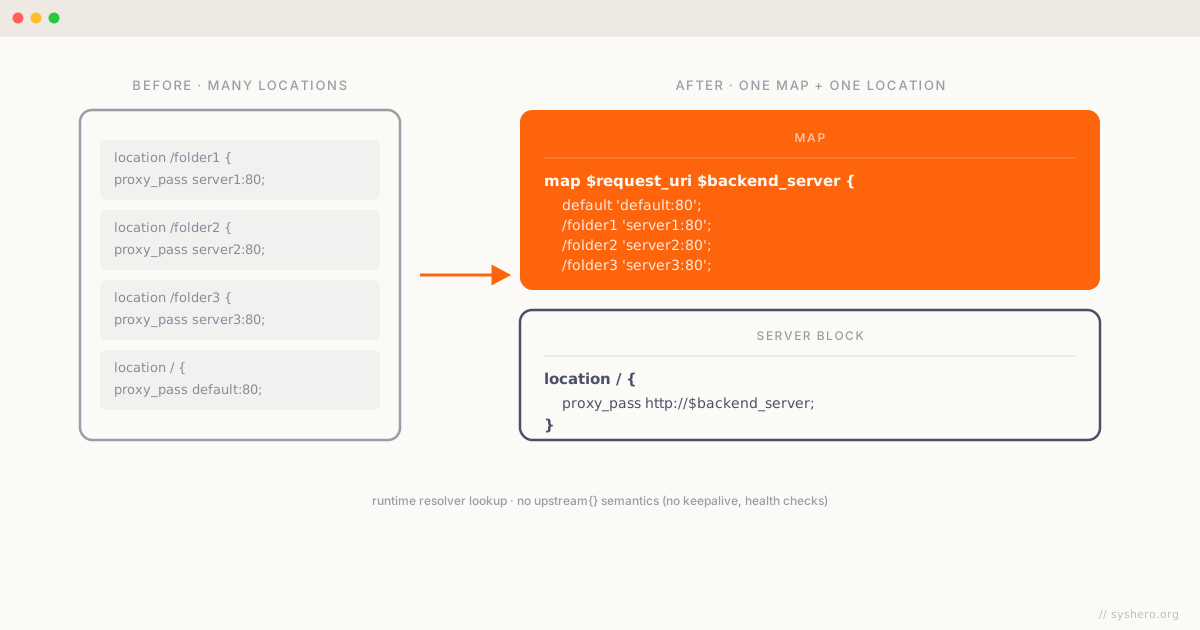
Some of you should have noticed already that I like using map for a lot of stuff. Another neat usage of map is to simplify your configuration, let me give you a quick example.
Imagine that you have the following configuration:
server {
 listen 80;
 resolver 4.2.2.2;
 location /folder1 {
  proxy_pass http://server1.domain.com:80;
 }

 location /folder2 {
  proxy_pass http://server2.domain.com:80;
 }

 location /folder3 {
  proxy_pass http://server3.domain.com:80;
 }

 location / {
  proxy_pass http://serverdefault.domain.com:80;
 }
}
To simplify your configuration, you can use map with the following configuration:
map $request_uri $backend_server {
 default  'serverdefault.domain.com:80';
 /folder1 'server1.domain.com:80';
 /folder2 'server2.domain.com:80';
 /folder3 'server3.domain.com:80';
}

server {
 listen 80;
 resolver 4.2.2.2;
 location / {
  proxy_pass http://$backend_server;
 }
}
This helps to reduce the mess on the configuration made by a lot of location { … } blocks with similar configurations.
EDIT 2026-04-24. A note I should have made at the time: proxy_pass http://$variable and proxy_pass http://named_upstream behave differently. With a variable, NGINX does a runtime DNS lookup through the configured resolver for every request (subject to TTL), doesn’t carry an upstream {} block’s semantics (no keepalive, no load-balancing algorithm, no health checks, no max_fails), and treats the destination as a single host. If any of those features matter, keep the original location blocks with proper upstream groups. The map-based approach is best reserved for “I have a dozen near-identical routes and just want to collapse boilerplate”.